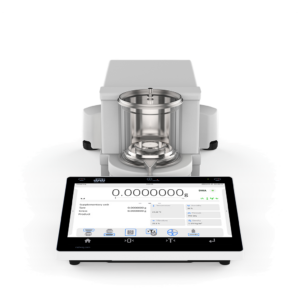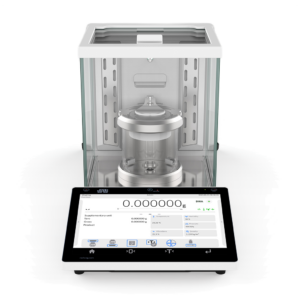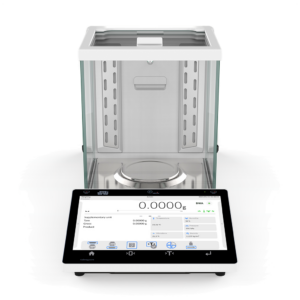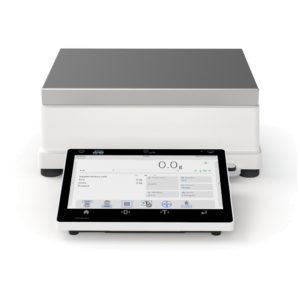




Válasszon típusváltozatot a leírás megtekintéséhez.
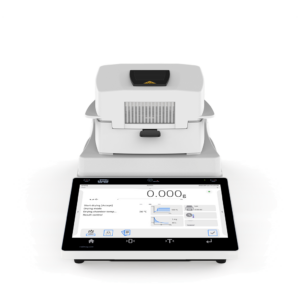
MA210.5Y.IC.WH
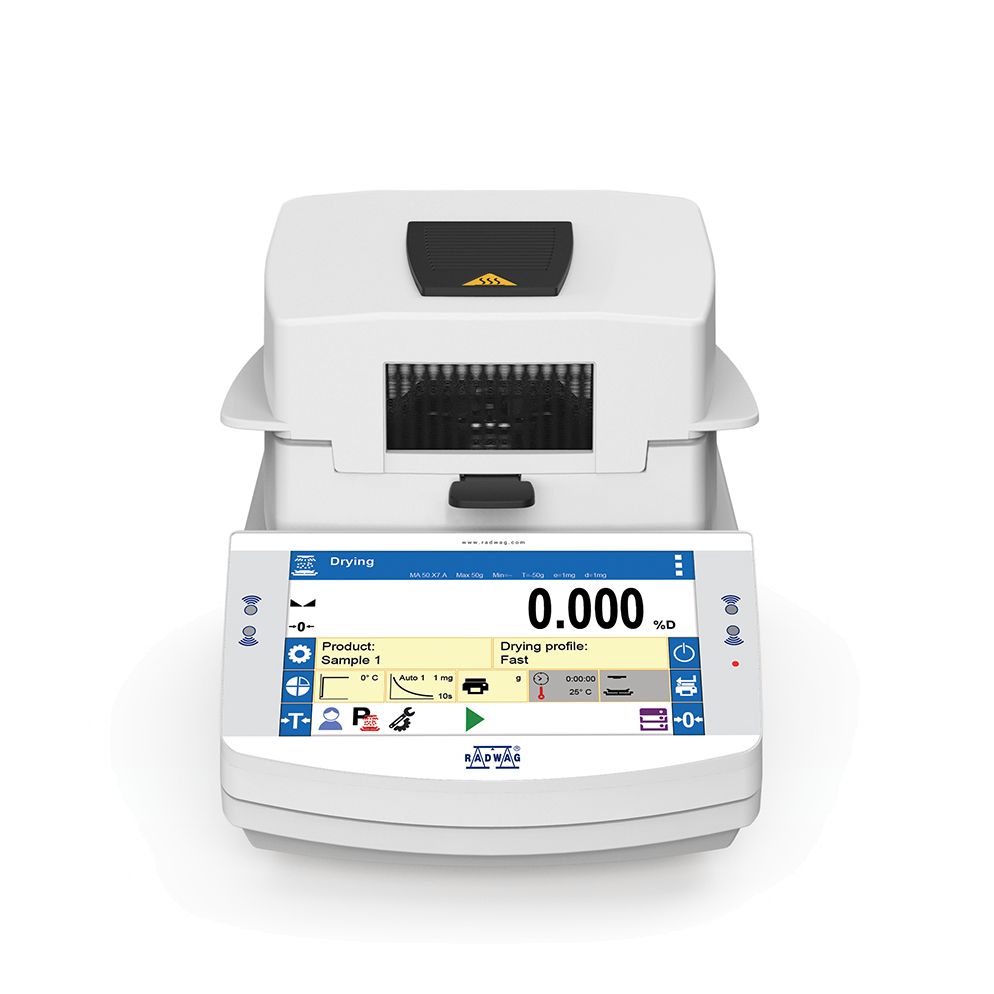
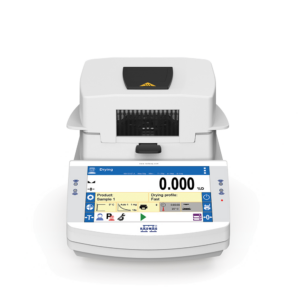
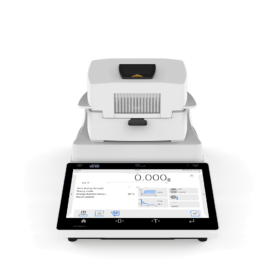
Do you need a moisture analyzer that not only determines moisture or dry matter content with impressive accuracy, but also performs a digital audit, responds to your voice commands and sends you light messages?
If so, learn about the functionality of the ELLIPSIS series of moisture analyzers:

It Dries in 4 Ways
- The standard profile is the usually used drying profile. It allows the most accurate determination of moisture content.
- The mild profile is designed for drying substances that are sensitive to the rapid heat released by the filaments, which heat full power at the initial stage of the process. An example of such a substance is leather.
- You will use the fast profile for samples with significant moisture content – of the order of even several tens of percent.
- The step profile will be ideal for drying substances that contain more than 15 percent moisture. Within this profile you can define any three temperatures. You will choose the values of temperature and duration of heating experimentally.

What Drying Temperature Should I Set?

How Do I Finish the Drying? In 4 Ways
-
Automatic mode
You define the moisture loss limit value in 60 seconds. When the moisture analyzer reaches the set criterion, the measurement will automatically end. -
Manual mode
You terminate the measurement yourself by pressing the STOP button. -
Time-defined mode
The measurement ends after the set time has elapsed regardless of the result. You have up to 99 hours 59 minutes to manage! -
User-defined mode
When you remove all volatiles from a sample, by definition, its mass should be constant. During drying, the dry mass of the sample is defined by a condition: if the mass of the sample is stable within 1 mg during the observation time (Auto 1-5), we consider that all volatile components have been removed from its structure.

10-Inch Display
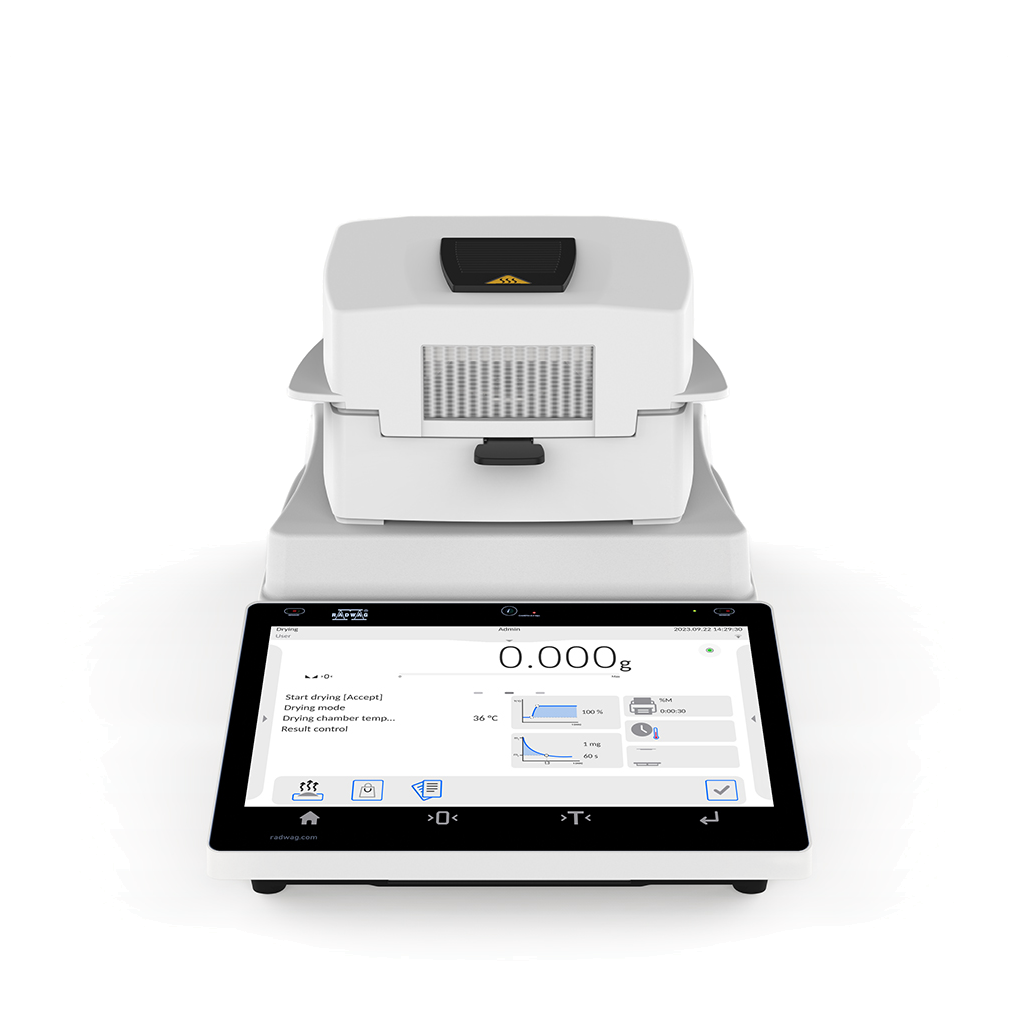
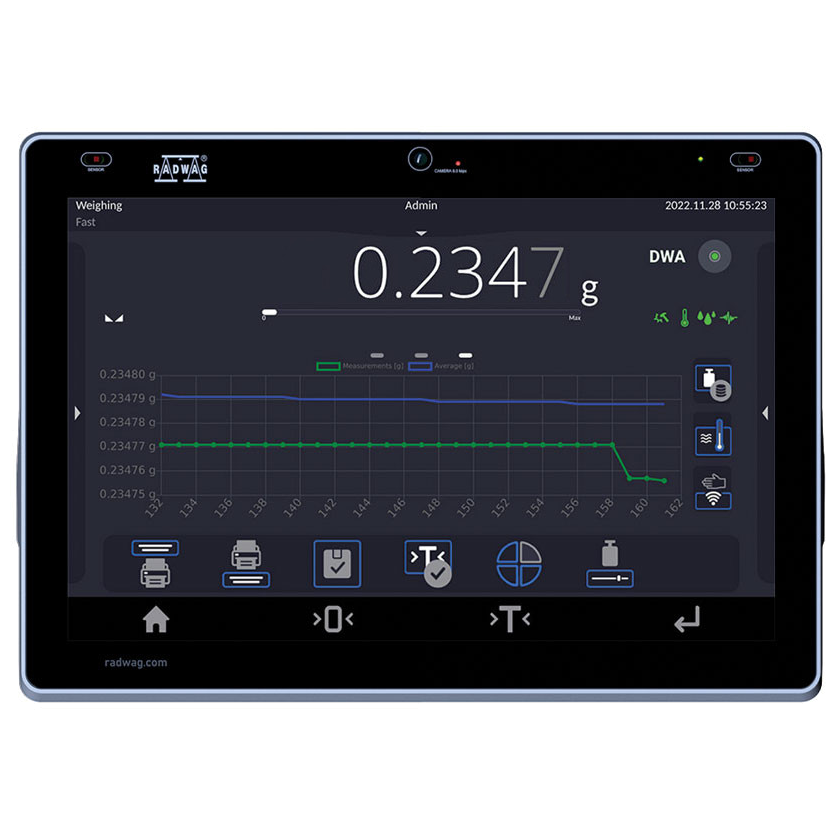
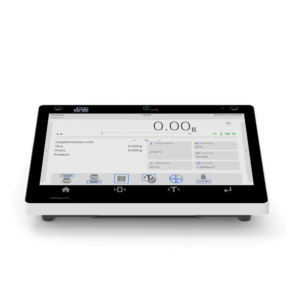
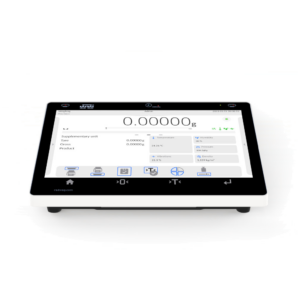
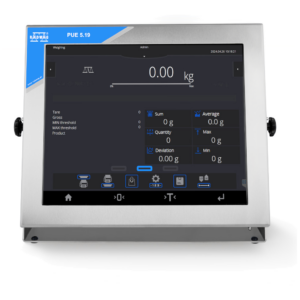
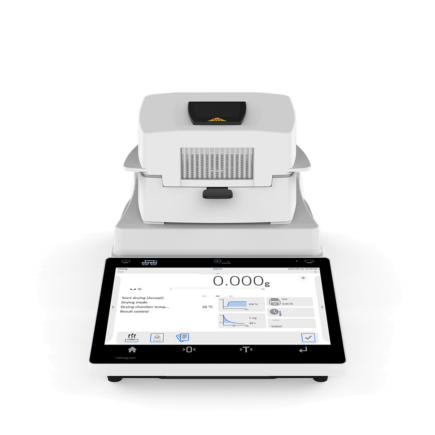
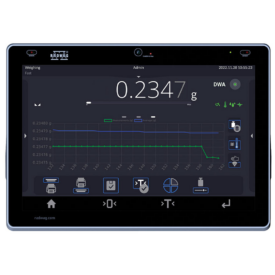
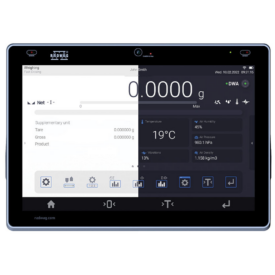
Bigger screen – 10’’ – means more information in one place. On the new ELLIPSIS terminal, you will see up to 3 screens, widgets, graphs, statuses, notes, handy measurement history. Ensures that your moisture analyzer is ready for use. What is more, it informs about the need for a moisture analyzer inspection or a periodic audit of the moisture analyzer’s accuracy and sensitivity.
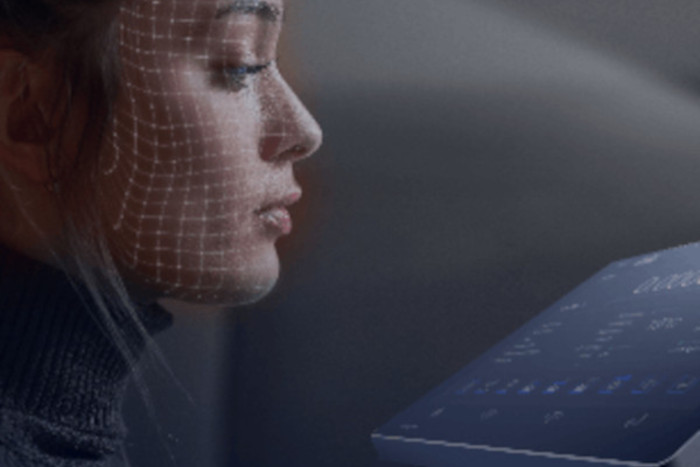
Uncompromising User Verification
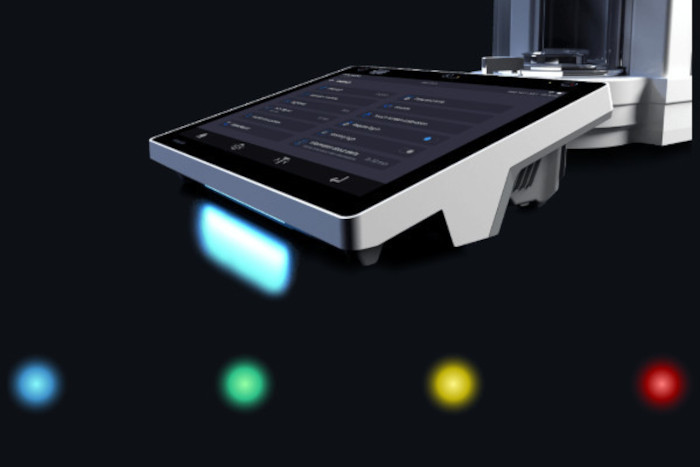
Ambient Light – an Innovative Way for the Moisture Analyzer to Communicate With the User
The light colour will tell you about status, process results, procedures, or alerts.

Hotspot
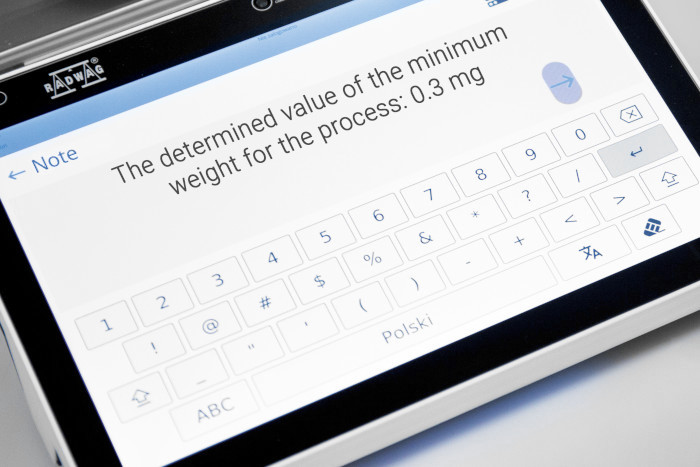
Live Note – Note Down Your Conclusions

21 CFR Part 11
- Full data security
- Electronic signatures
- Validations
- Electronic records
- Audit trails

Modbus TCP/IP
* RFID ISO/IEC 14443 Type A, 13.56 MHz
MA110.5Y.IC
Do you need a moisture analyzer that not only determines moisture or dry matter content with impressive accuracy, but also performs a digital audit, responds to your voice commands and sends you light messages?
If so, learn about the functionality of the ELLIPSIS series of moisture analyzers:
It Dries in 4 Ways
- The standard profile is the usually used drying profile. It allows the most accurate determination of moisture content.
- The mild profile is designed for drying substances that are sensitive to the rapid heat released by the filaments, which heat full power at the initial stage of the process. An example of such a substance is leather.
- You will use the fast profile for samples with significant moisture content – of the order of even several tens of percent.
- The step profile will be ideal for drying substances that contain more than 15 percent moisture. Within this profile you can define any three temperatures. You will choose the values of temperature and duration of heating experimentally.
What Drying Temperature Should I Set?
How Do I Finish the Drying? In 4 Ways
-
Automatic mode
You define the moisture loss limit value in 60 seconds. When the moisture analyzer reaches the set criterion, the measurement will automatically end. -
Manual mode
You terminate the measurement yourself by pressing the STOP button. -
Time-defined mode
The measurement ends after the set time has elapsed regardless of the result. You have up to 99 hours 59 minutes to manage! -
User-defined mode
When you remove all volatiles from a sample, by definition, its mass should be constant. During drying, the dry mass of the sample is defined by a condition: if the mass of the sample is stable within 1 mg during the observation time (Auto 1-5), we consider that all volatile components have been removed from its structure.
10-Inch Display
Bigger screen – 10’’ – means more information in one place. On the new ELLIPSIS terminal, you will see up to 3 screens, widgets, graphs, statuses, notes, handy measurement history. Ensures that your moisture analyzer is ready for use. What is more, it informs about the need for a moisture analyzer inspection or a periodic audit of the moisture analyzer’s accuracy and sensitivity.
Uncompromising User Verification
Ambient Light – an Innovative Way for the Moisture Analyzer to Communicate With the User
The light colour will tell you about status, process results, procedures, or alerts.
Hotspot
Live Note – Note Down Your Conclusions
21 CFR Part 11
- Full data security
- Electronic signatures
- Validations
- Electronic records
- Audit trails
Modbus TCP/IP
* RFID ISO/IEC 14443 Type A, 13.56 MHz
MA50.5Y.IC.WH
Do you need a moisture analyzer that not only determines moisture or dry matter content with impressive accuracy, but also performs a digital audit, responds to your voice commands and sends you light messages?
If so, learn about the functionality of the ELLIPSIS series of moisture analyzers:
It Dries in 4 Ways
- The standard profile is the usually used drying profile. It allows the most accurate determination of moisture content.
- The mild profile is designed for drying substances that are sensitive to the rapid heat released by the filaments, which heat full power at the initial stage of the process. An example of such a substance is leather.
- You will use the fast profile for samples with significant moisture content – of the order of even several tens of percent.
- The step profile will be ideal for drying substances that contain more than 15 percent moisture. Within this profile you can define any three temperatures. You will choose the values of temperature and duration of heating experimentally.
What Drying Temperature Should I Set?
How Do I Finish the Drying? In 4 Ways
-
Automatic mode
You define the moisture loss limit value in 60 seconds. When the moisture analyzer reaches the set criterion, the measurement will automatically end. -
Manual mode
You terminate the measurement yourself by pressing the STOP button. -
Time-defined mode
The measurement ends after the set time has elapsed regardless of the result. You have up to 99 hours 59 minutes to manage! -
User-defined mode
When you remove all volatiles from a sample, by definition, its mass should be constant. During drying, the dry mass of the sample is defined by a condition: if the mass of the sample is stable within 1 mg during the observation time (Auto 1-5), we consider that all volatile components have been removed from its structure.
10-Inch Display
Bigger screen – 10’’ – means more information in one place. On the new ELLIPSIS terminal, you will see up to 3 screens, widgets, graphs, statuses, notes, handy measurement history. Ensures that your moisture analyzer is ready for use. What is more, it informs about the need for a moisture analyzer inspection or a periodic audit of the moisture analyzer’s accuracy and sensitivity.
Uncompromising User Verification
Ambient Light – an Innovative Way for the Moisture Analyzer to Communicate With the User
The light colour will tell you about status, process results, procedures, or alerts.
Hotspot
Live Note – Note Down Your Conclusions
21 CFR Part 11
- Full data security
- Electronic signatures
- Validations
- Electronic records
- Audit trails
Modbus TCP/IP
* RFID ISO/IEC 14443 Type A, 13.56 MHz
MA50/1.5Y.IC.NS
Do you need a moisture analyzer that not only determines moisture or dry matter content with impressive accuracy, but also performs a digital audit, responds to your voice commands and sends you light messages?
If so, learn about the functionality of the ELLIPSIS series of moisture analyzers:
It Dries in 4 Ways
- The standard profile is the usually used drying profile. It allows the most accurate determination of moisture content.
- The mild profile is designed for drying substances that are sensitive to the rapid heat released by the filaments, which heat full power at the initial stage of the process. An example of such a substance is leather.
- You will use the fast profile for samples with significant moisture content – of the order of even several tens of percent.
- The step profile will be ideal for drying substances that contain more than 15 percent moisture. Within this profile you can define any three temperatures. You will choose the values of temperature and duration of heating experimentally.
What Drying Temperature Should I Set?
How Do I Finish the Drying? In 4 Ways
-
Automatic mode
You define the moisture loss limit value in 60 seconds. When the moisture analyzer reaches the set criterion, the measurement will automatically end. -
Manual mode
You terminate the measurement yourself by pressing the STOP button. -
Time-defined mode
The measurement ends after the set time has elapsed regardless of the result. You have up to 99 hours 59 minutes to manage! -
User-defined mode
When you remove all volatiles from a sample, by definition, its mass should be constant. During drying, the dry mass of the sample is defined by a condition: if the mass of the sample is stable within 1 mg during the observation time (Auto 1-5), we consider that all volatile components have been removed from its structure.
10-Inch Display
Bigger screen – 10’’ – means more information in one place. On the new ELLIPSIS terminal, you will see up to 3 screens, widgets, graphs, statuses, notes, handy measurement history. Ensures that your moisture analyzer is ready for use. What is more, it informs about the need for a moisture analyzer inspection or a periodic audit of the moisture analyzer’s accuracy and sensitivity.
Uncompromising User Verification
Ambient Light – an Innovative Way for the Moisture Analyzer to Communicate With the User
The light colour will tell you about status, process results, procedures, or alerts.
Hotspot
Live Note – Note Down Your Conclusions
21 CFR Part 11
- Full data security
- Electronic signatures
- Validations
- Electronic records
- Audit trails
Modbus TCP/IP
* RFID ISO/IEC 14443 Type A, 13.56 MHz
MA210.5Y.IC
Do you need a moisture analyzer that not only determines moisture or dry matter content with impressive accuracy, but also performs a digital audit, responds to your voice commands and sends you light messages?
If so, learn about the functionality of the ELLIPSIS series of moisture analyzers:
It Dries in 4 Ways
- The standard profile is the usually used drying profile. It allows the most accurate determination of moisture content.
- The mild profile is designed for drying substances that are sensitive to the rapid heat released by the filaments, which heat full power at the initial stage of the process. An example of such a substance is leather.
- You will use the fast profile for samples with significant moisture content – of the order of even several tens of percent.
- The step profile will be ideal for drying substances that contain more than 15 percent moisture. Within this profile you can define any three temperatures. You will choose the values of temperature and duration of heating experimentally.
What Drying Temperature Should I Set?
How Do I Finish the Drying? In 4 Ways
-
Automatic mode
You define the moisture loss limit value in 60 seconds. When the moisture analyzer reaches the set criterion, the measurement will automatically end. -
Manual mode
You terminate the measurement yourself by pressing the STOP button. -
Time-defined mode
The measurement ends after the set time has elapsed regardless of the result. You have up to 99 hours 59 minutes to manage! -
User-defined mode
When you remove all volatiles from a sample, by definition, its mass should be constant. During drying, the dry mass of the sample is defined by a condition: if the mass of the sample is stable within 1 mg during the observation time (Auto 1-5), we consider that all volatile components have been removed from its structure.
10-Inch Display
Bigger screen – 10’’ – means more information in one place. On the new ELLIPSIS terminal, you will see up to 3 screens, widgets, graphs, statuses, notes, handy measurement history. Ensures that your moisture analyzer is ready for use. What is more, it informs about the need for a moisture analyzer inspection or a periodic audit of the moisture analyzer’s accuracy and sensitivity.
Uncompromising User Verification
Ambient Light – an Innovative Way for the Moisture Analyzer to Communicate With the User
The light colour will tell you about status, process results, procedures, or alerts.
Hotspot
Live Note – Note Down Your Conclusions
21 CFR Part 11
- Full data security
- Electronic signatures
- Validations
- Electronic records
- Audit trails
Modbus TCP/IP
* RFID ISO/IEC 14443 Type A, 13.56 MHz
MA200/1.5Y.IC.NS
Do you need a moisture analyzer that not only determines moisture or dry matter content with impressive accuracy, but also performs a digital audit, responds to your voice commands and sends you light messages?
If so, learn about the functionality of the ELLIPSIS series of moisture analyzers:
It Dries in 4 Ways
- The standard profile is the usually used drying profile. It allows the most accurate determination of moisture content.
- The mild profile is designed for drying substances that are sensitive to the rapid heat released by the filaments, which heat full power at the initial stage of the process. An example of such a substance is leather.
- You will use the fast profile for samples with significant moisture content – of the order of even several tens of percent.
- The step profile will be ideal for drying substances that contain more than 15 percent moisture. Within this profile you can define any three temperatures. You will choose the values of temperature and duration of heating experimentally.
What Drying Temperature Should I Set?
How Do I Finish the Drying? In 4 Ways
-
Automatic mode
You define the moisture loss limit value in 60 seconds. When the moisture analyzer reaches the set criterion, the measurement will automatically end. -
Manual mode
You terminate the measurement yourself by pressing the STOP button. -
Time-defined mode
The measurement ends after the set time has elapsed regardless of the result. You have up to 99 hours 59 minutes to manage! -
User-defined mode
When you remove all volatiles from a sample, by definition, its mass should be constant. During drying, the dry mass of the sample is defined by a condition: if the mass of the sample is stable within 1 mg during the observation time (Auto 1-5), we consider that all volatile components have been removed from its structure.
10-Inch Display
Bigger screen – 10’’ – means more information in one place. On the new ELLIPSIS terminal, you will see up to 3 screens, widgets, graphs, statuses, notes, handy measurement history. Ensures that your moisture analyzer is ready for use. What is more, it informs about the need for a moisture analyzer inspection or a periodic audit of the moisture analyzer’s accuracy and sensitivity.
Uncompromising User Verification
Ambient Light – an Innovative Way for the Moisture Analyzer to Communicate With the User
The light colour will tell you about status, process results, procedures, or alerts.
Hotspot
Live Note – Note Down Your Conclusions
21 CFR Part 11
- Full data security
- Electronic signatures
- Validations
- Electronic records
- Audit trails
Modbus TCP/IP
* RFID ISO/IEC 14443 Type A, 13.56 MHz
MA200/1.5Y.IC.WH
Do you need a moisture analyzer that not only determines moisture or dry matter content with impressive accuracy, but also performs a digital audit, responds to your voice commands and sends you light messages?
If so, learn about the functionality of the ELLIPSIS series of moisture analyzers:
It Dries in 4 Ways
- The standard profile is the usually used drying profile. It allows the most accurate determination of moisture content.
- The mild profile is designed for drying substances that are sensitive to the rapid heat released by the filaments, which heat full power at the initial stage of the process. An example of such a substance is leather.
- You will use the fast profile for samples with significant moisture content – of the order of even several tens of percent.
- The step profile will be ideal for drying substances that contain more than 15 percent moisture. Within this profile you can define any three temperatures. You will choose the values of temperature and duration of heating experimentally.
What Drying Temperature Should I Set?
How Do I Finish the Drying? In 4 Ways
-
Automatic mode
You define the moisture loss limit value in 60 seconds. When the moisture analyzer reaches the set criterion, the measurement will automatically end. -
Manual mode
You terminate the measurement yourself by pressing the STOP button. -
Time-defined mode
The measurement ends after the set time has elapsed regardless of the result. You have up to 99 hours 59 minutes to manage! -
User-defined mode
When you remove all volatiles from a sample, by definition, its mass should be constant. During drying, the dry mass of the sample is defined by a condition: if the mass of the sample is stable within 1 mg during the observation time (Auto 1-5), we consider that all volatile components have been removed from its structure.
10-Inch Display
Bigger screen – 10’’ – means more information in one place. On the new ELLIPSIS terminal, you will see up to 3 screens, widgets, graphs, statuses, notes, handy measurement history. Ensures that your moisture analyzer is ready for use. What is more, it informs about the need for a moisture analyzer inspection or a periodic audit of the moisture analyzer’s accuracy and sensitivity.
Uncompromising User Verification
Ambient Light – an Innovative Way for the Moisture Analyzer to Communicate With the User
The light colour will tell you about status, process results, procedures, or alerts.
Hotspot
Live Note – Note Down Your Conclusions
21 CFR Part 11
- Full data security
- Electronic signatures
- Validations
- Electronic records
- Audit trails
Modbus TCP/IP
* RFID ISO/IEC 14443 Type A, 13.56 MHz
MA50.5Y.IC.NS
Do you need a moisture analyzer that not only determines moisture or dry matter content with impressive accuracy, but also performs a digital audit, responds to your voice commands and sends you light messages?
If so, learn about the functionality of the ELLIPSIS series of moisture analyzers:
It Dries in 4 Ways
- The standard profile is the usually used drying profile. It allows the most accurate determination of moisture content.
- The mild profile is designed for drying substances that are sensitive to the rapid heat released by the filaments, which heat full power at the initial stage of the process. An example of such a substance is leather.
- You will use the fast profile for samples with significant moisture content – of the order of even several tens of percent.
- The step profile will be ideal for drying substances that contain more than 15 percent moisture. Within this profile you can define any three temperatures. You will choose the values of temperature and duration of heating experimentally.
What Drying Temperature Should I Set?
How Do I Finish the Drying? In 4 Ways
-
Automatic mode
You define the moisture loss limit value in 60 seconds. When the moisture analyzer reaches the set criterion, the measurement will automatically end. -
Manual mode
You terminate the measurement yourself by pressing the STOP button. -
Time-defined mode
The measurement ends after the set time has elapsed regardless of the result. You have up to 99 hours 59 minutes to manage! -
User-defined mode
When you remove all volatiles from a sample, by definition, its mass should be constant. During drying, the dry mass of the sample is defined by a condition: if the mass of the sample is stable within 1 mg during the observation time (Auto 1-5), we consider that all volatile components have been removed from its structure.
10-Inch Display
Bigger screen – 10’’ – means more information in one place. On the new ELLIPSIS terminal, you will see up to 3 screens, widgets, graphs, statuses, notes, handy measurement history. Ensures that your moisture analyzer is ready for use. What is more, it informs about the need for a moisture analyzer inspection or a periodic audit of the moisture analyzer’s accuracy and sensitivity.
Uncompromising User Verification
Ambient Light – an Innovative Way for the Moisture Analyzer to Communicate With the User
The light colour will tell you about status, process results, procedures, or alerts.
Hotspot
Live Note – Note Down Your Conclusions
21 CFR Part 11
- Full data security
- Electronic signatures
- Validations
- Electronic records
- Audit trails
Modbus TCP/IP
* RFID ISO/IEC 14443 Type A, 13.56 MHz
MA50/1.5Y.IC.WH
Do you need a moisture analyzer that not only determines moisture or dry matter content with impressive accuracy, but also performs a digital audit, responds to your voice commands and sends you light messages?
If so, learn about the functionality of the ELLIPSIS series of moisture analyzers:
It Dries in 4 Ways
- The standard profile is the usually used drying profile. It allows the most accurate determination of moisture content.
- The mild profile is designed for drying substances that are sensitive to the rapid heat released by the filaments, which heat full power at the initial stage of the process. An example of such a substance is leather.
- You will use the fast profile for samples with significant moisture content – of the order of even several tens of percent.
- The step profile will be ideal for drying substances that contain more than 15 percent moisture. Within this profile you can define any three temperatures. You will choose the values of temperature and duration of heating experimentally.
What Drying Temperature Should I Set?
How Do I Finish the Drying? In 4 Ways
-
Automatic mode
You define the moisture loss limit value in 60 seconds. When the moisture analyzer reaches the set criterion, the measurement will automatically end. -
Manual mode
You terminate the measurement yourself by pressing the STOP button. -
Time-defined mode
The measurement ends after the set time has elapsed regardless of the result. You have up to 99 hours 59 minutes to manage! -
User-defined mode
When you remove all volatiles from a sample, by definition, its mass should be constant. During drying, the dry mass of the sample is defined by a condition: if the mass of the sample is stable within 1 mg during the observation time (Auto 1-5), we consider that all volatile components have been removed from its structure.
10-Inch Display
Bigger screen – 10’’ – means more information in one place. On the new ELLIPSIS terminal, you will see up to 3 screens, widgets, graphs, statuses, notes, handy measurement history. Ensures that your moisture analyzer is ready for use. What is more, it informs about the need for a moisture analyzer inspection or a periodic audit of the moisture analyzer’s accuracy and sensitivity.
Uncompromising User Verification
Ambient Light – an Innovative Way for the Moisture Analyzer to Communicate With the User
The light colour will tell you about status, process results, procedures, or alerts.
Hotspot
Live Note – Note Down Your Conclusions
21 CFR Part 11
- Full data security
- Electronic signatures
- Validations
- Electronic records
- Audit trails
Modbus TCP/IP
* RFID ISO/IEC 14443 Type A, 13.56 MHz
MA50.5Y.IC
Do you need a moisture analyzer that not only determines moisture or dry matter content with impressive accuracy, but also performs a digital audit, responds to your voice commands and sends you light messages?
If so, learn about the functionality of the ELLIPSIS series of moisture analyzers:
It Dries in 4 Ways
- The standard profile is the usually used drying profile. It allows the most accurate determination of moisture content.
- The mild profile is designed for drying substances that are sensitive to the rapid heat released by the filaments, which heat full power at the initial stage of the process. An example of such a substance is leather.
- You will use the fast profile for samples with significant moisture content – of the order of even several tens of percent.
- The step profile will be ideal for drying substances that contain more than 15 percent moisture. Within this profile you can define any three temperatures. You will choose the values of temperature and duration of heating experimentally.
What Drying Temperature Should I Set?
How Do I Finish the Drying? In 4 Ways
-
Automatic mode
You define the moisture loss limit value in 60 seconds. When the moisture analyzer reaches the set criterion, the measurement will automatically end. -
Manual mode
You terminate the measurement yourself by pressing the STOP button. -
Time-defined mode
The measurement ends after the set time has elapsed regardless of the result. You have up to 99 hours 59 minutes to manage! -
User-defined mode
When you remove all volatiles from a sample, by definition, its mass should be constant. During drying, the dry mass of the sample is defined by a condition: if the mass of the sample is stable within 1 mg during the observation time (Auto 1-5), we consider that all volatile components have been removed from its structure.
10-Inch Display
Bigger screen – 10’’ – means more information in one place. On the new ELLIPSIS terminal, you will see up to 3 screens, widgets, graphs, statuses, notes, handy measurement history. Ensures that your moisture analyzer is ready for use. What is more, it informs about the need for a moisture analyzer inspection or a periodic audit of the moisture analyzer’s accuracy and sensitivity.
Uncompromising User Verification
Ambient Light – an Innovative Way for the Moisture Analyzer to Communicate With the User
The light colour will tell you about status, process results, procedures, or alerts.
Hotspot
Live Note – Note Down Your Conclusions
21 CFR Part 11
- Full data security
- Electronic signatures
- Validations
- Electronic records
- Audit trails
Modbus TCP/IP
* RFID ISO/IEC 14443 Type A, 13.56 MHz
MA50/1.5Y.IC
Do you need a moisture analyzer that not only determines moisture or dry matter content with impressive accuracy, but also performs a digital audit, responds to your voice commands and sends you light messages?
If so, learn about the functionality of the ELLIPSIS series of moisture analyzers:
It Dries in 4 Ways
- The standard profile is the usually used drying profile. It allows the most accurate determination of moisture content.
- The mild profile is designed for drying substances that are sensitive to the rapid heat released by the filaments, which heat full power at the initial stage of the process. An example of such a substance is leather.
- You will use the fast profile for samples with significant moisture content – of the order of even several tens of percent.
- The step profile will be ideal for drying substances that contain more than 15 percent moisture. Within this profile you can define any three temperatures. You will choose the values of temperature and duration of heating experimentally.
What Drying Temperature Should I Set?
How Do I Finish the Drying? In 4 Ways
-
Automatic mode
You define the moisture loss limit value in 60 seconds. When the moisture analyzer reaches the set criterion, the measurement will automatically end. -
Manual mode
You terminate the measurement yourself by pressing the STOP button. -
Time-defined mode
The measurement ends after the set time has elapsed regardless of the result. You have up to 99 hours 59 minutes to manage! -
User-defined mode
When you remove all volatiles from a sample, by definition, its mass should be constant. During drying, the dry mass of the sample is defined by a condition: if the mass of the sample is stable within 1 mg during the observation time (Auto 1-5), we consider that all volatile components have been removed from its structure.
10-Inch Display
Bigger screen – 10’’ – means more information in one place. On the new ELLIPSIS terminal, you will see up to 3 screens, widgets, graphs, statuses, notes, handy measurement history. Ensures that your moisture analyzer is ready for use. What is more, it informs about the need for a moisture analyzer inspection or a periodic audit of the moisture analyzer’s accuracy and sensitivity.
Uncompromising User Verification
Ambient Light – an Innovative Way for the Moisture Analyzer to Communicate With the User
The light colour will tell you about status, process results, procedures, or alerts.
Hotspot
Live Note – Note Down Your Conclusions
21 CFR Part 11
- Full data security
- Electronic signatures
- Validations
- Electronic records
- Audit trails
Modbus TCP/IP
* RFID ISO/IEC 14443 Type A, 13.56 MHz
MA110.5Y.IC.WH
Do you need a moisture analyzer that not only determines moisture or dry matter content with impressive accuracy, but also performs a digital audit, responds to your voice commands and sends you light messages?
If so, learn about the functionality of the ELLIPSIS series of moisture analyzers:
It Dries in 4 Ways
- The standard profile is the usually used drying profile. It allows the most accurate determination of moisture content.
- The mild profile is designed for drying substances that are sensitive to the rapid heat released by the filaments, which heat full power at the initial stage of the process. An example of such a substance is leather.
- You will use the fast profile for samples with significant moisture content – of the order of even several tens of percent.
- The step profile will be ideal for drying substances that contain more than 15 percent moisture. Within this profile you can define any three temperatures. You will choose the values of temperature and duration of heating experimentally.
What Drying Temperature Should I Set?
How Do I Finish the Drying? In 4 Ways
-
Automatic mode
You define the moisture loss limit value in 60 seconds. When the moisture analyzer reaches the set criterion, the measurement will automatically end. -
Manual mode
You terminate the measurement yourself by pressing the STOP button. -
Time-defined mode
The measurement ends after the set time has elapsed regardless of the result. You have up to 99 hours 59 minutes to manage! -
User-defined mode
When you remove all volatiles from a sample, by definition, its mass should be constant. During drying, the dry mass of the sample is defined by a condition: if the mass of the sample is stable within 1 mg during the observation time (Auto 1-5), we consider that all volatile components have been removed from its structure.
10-Inch Display
Bigger screen – 10’’ – means more information in one place. On the new ELLIPSIS terminal, you will see up to 3 screens, widgets, graphs, statuses, notes, handy measurement history. Ensures that your moisture analyzer is ready for use. What is more, it informs about the need for a moisture analyzer inspection or a periodic audit of the moisture analyzer’s accuracy and sensitivity.
Uncompromising User Verification
Ambient Light – an Innovative Way for the Moisture Analyzer to Communicate With the User
The light colour will tell you about status, process results, procedures, or alerts.
Hotspot
Live Note – Note Down Your Conclusions
21 CFR Part 11
- Full data security
- Electronic signatures
- Validations
- Electronic records
- Audit trails
Modbus TCP/IP
* RFID ISO/IEC 14443 Type A, 13.56 MHz
MA210.5Y.IC.NS
Do you need a moisture analyzer that not only determines moisture or dry matter content with impressive accuracy, but also performs a digital audit, responds to your voice commands and sends you light messages?
If so, learn about the functionality of the ELLIPSIS series of moisture analyzers:
It Dries in 4 Ways
- The standard profile is the usually used drying profile. It allows the most accurate determination of moisture content.
- The mild profile is designed for drying substances that are sensitive to the rapid heat released by the filaments, which heat full power at the initial stage of the process. An example of such a substance is leather.
- You will use the fast profile for samples with significant moisture content – of the order of even several tens of percent.
- The step profile will be ideal for drying substances that contain more than 15 percent moisture. Within this profile you can define any three temperatures. You will choose the values of temperature and duration of heating experimentally.
What Drying Temperature Should I Set?
How Do I Finish the Drying? In 4 Ways
-
Automatic mode
You define the moisture loss limit value in 60 seconds. When the moisture analyzer reaches the set criterion, the measurement will automatically end. -
Manual mode
You terminate the measurement yourself by pressing the STOP button. -
Time-defined mode
The measurement ends after the set time has elapsed regardless of the result. You have up to 99 hours 59 minutes to manage! -
User-defined mode
When you remove all volatiles from a sample, by definition, its mass should be constant. During drying, the dry mass of the sample is defined by a condition: if the mass of the sample is stable within 1 mg during the observation time (Auto 1-5), we consider that all volatile components have been removed from its structure.
10-Inch Display
Bigger screen – 10’’ – means more information in one place. On the new ELLIPSIS terminal, you will see up to 3 screens, widgets, graphs, statuses, notes, handy measurement history. Ensures that your moisture analyzer is ready for use. What is more, it informs about the need for a moisture analyzer inspection or a periodic audit of the moisture analyzer’s accuracy and sensitivity.
Uncompromising User Verification
Ambient Light – an Innovative Way for the Moisture Analyzer to Communicate With the User
The light colour will tell you about status, process results, procedures, or alerts.
Hotspot
Live Note – Note Down Your Conclusions
21 CFR Part 11
- Full data security
- Electronic signatures
- Validations
- Electronic records
- Audit trails
Modbus TCP/IP
* RFID ISO/IEC 14443 Type A, 13.56 MHz
MA110.5Y.IC.NS
Do you need a moisture analyzer that not only determines moisture or dry matter content with impressive accuracy, but also performs a digital audit, responds to your voice commands and sends you light messages?
If so, learn about the functionality of the ELLIPSIS series of moisture analyzers:
It Dries in 4 Ways
- The standard profile is the usually used drying profile. It allows the most accurate determination of moisture content.
- The mild profile is designed for drying substances that are sensitive to the rapid heat released by the filaments, which heat full power at the initial stage of the process. An example of such a substance is leather.
- You will use the fast profile for samples with significant moisture content – of the order of even several tens of percent.
- The step profile will be ideal for drying substances that contain more than 15 percent moisture. Within this profile you can define any three temperatures. You will choose the values of temperature and duration of heating experimentally.
What Drying Temperature Should I Set?
How Do I Finish the Drying? In 4 Ways
-
Automatic mode
You define the moisture loss limit value in 60 seconds. When the moisture analyzer reaches the set criterion, the measurement will automatically end. -
Manual mode
You terminate the measurement yourself by pressing the STOP button. -
Time-defined mode
The measurement ends after the set time has elapsed regardless of the result. You have up to 99 hours 59 minutes to manage! -
User-defined mode
When you remove all volatiles from a sample, by definition, its mass should be constant. During drying, the dry mass of the sample is defined by a condition: if the mass of the sample is stable within 1 mg during the observation time (Auto 1-5), we consider that all volatile components have been removed from its structure.
10-Inch Display
Bigger screen – 10’’ – means more information in one place. On the new ELLIPSIS terminal, you will see up to 3 screens, widgets, graphs, statuses, notes, handy measurement history. Ensures that your moisture analyzer is ready for use. What is more, it informs about the need for a moisture analyzer inspection or a periodic audit of the moisture analyzer’s accuracy and sensitivity.
Uncompromising User Verification
Ambient Light – an Innovative Way for the Moisture Analyzer to Communicate With the User
The light colour will tell you about status, process results, procedures, or alerts.
Hotspot
Live Note – Note Down Your Conclusions
21 CFR Part 11
- Full data security
- Electronic signatures
- Validations
- Electronic records
- Audit trails
Modbus TCP/IP
* RFID ISO/IEC 14443 Type A, 13.56 MHz
MA200/1.5Y.IC
Do you need a moisture analyzer that not only determines moisture or dry matter content with impressive accuracy, but also performs a digital audit, responds to your voice commands and sends you light messages?
If so, learn about the functionality of the ELLIPSIS series of moisture analyzers:
It Dries in 4 Ways
- The standard profile is the usually used drying profile. It allows the most accurate determination of moisture content.
- The mild profile is designed for drying substances that are sensitive to the rapid heat released by the filaments, which heat full power at the initial stage of the process. An example of such a substance is leather.
- You will use the fast profile for samples with significant moisture content – of the order of even several tens of percent.
- The step profile will be ideal for drying substances that contain more than 15 percent moisture. Within this profile you can define any three temperatures. You will choose the values of temperature and duration of heating experimentally.
What Drying Temperature Should I Set?
How Do I Finish the Drying? In 4 Ways
-
Automatic mode
You define the moisture loss limit value in 60 seconds. When the moisture analyzer reaches the set criterion, the measurement will automatically end. -
Manual mode
You terminate the measurement yourself by pressing the STOP button. -
Time-defined mode
The measurement ends after the set time has elapsed regardless of the result. You have up to 99 hours 59 minutes to manage! -
User-defined mode
When you remove all volatiles from a sample, by definition, its mass should be constant. During drying, the dry mass of the sample is defined by a condition: if the mass of the sample is stable within 1 mg during the observation time (Auto 1-5), we consider that all volatile components have been removed from its structure.
10-Inch Display
Bigger screen – 10’’ – means more information in one place. On the new ELLIPSIS terminal, you will see up to 3 screens, widgets, graphs, statuses, notes, handy measurement history. Ensures that your moisture analyzer is ready for use. What is more, it informs about the need for a moisture analyzer inspection or a periodic audit of the moisture analyzer’s accuracy and sensitivity.
Uncompromising User Verification
Ambient Light – an Innovative Way for the Moisture Analyzer to Communicate With the User
The light colour will tell you about status, process results, procedures, or alerts.
Hotspot
Live Note – Note Down Your Conclusions
21 CFR Part 11
- Full data security
- Electronic signatures
- Validations
- Electronic records
- Audit trails
Modbus TCP/IP
* RFID ISO/IEC 14443 Type A, 13.56 MHz